How to Write a CV
How to Write a CV: A Complete Step-by-Step Guide for Beginners
What Is a CV and Why Does It Matter?
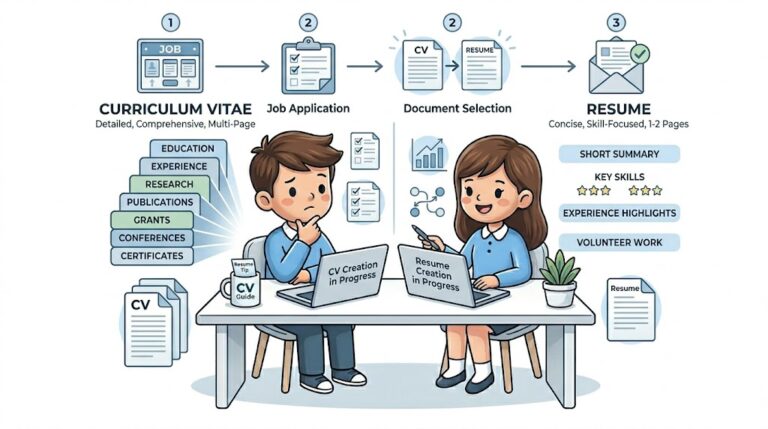
A CV, short for Curriculum Vitae, is a document that highlights your education, skills, work experience, and achievements. Employers use it to quickly decide whether you are suitable for a job.
A strong CV matters because hiring managers spend only a few seconds scanning it. According to research by The Ladders, recruiters often spend around 6–8 seconds reviewing a CV. That means clarity and structure are more important than long paragraphs.
A good CV should:
- Clearly show your value
- Match the job requirements
- Be easy to read quickly
If your CV looks confusing, it will be ignored, even if you are qualified.
What Should You Include in a CV?
A complete CV includes several key sections. Each section serves a clear purpose and helps the employer understand your profile quickly.
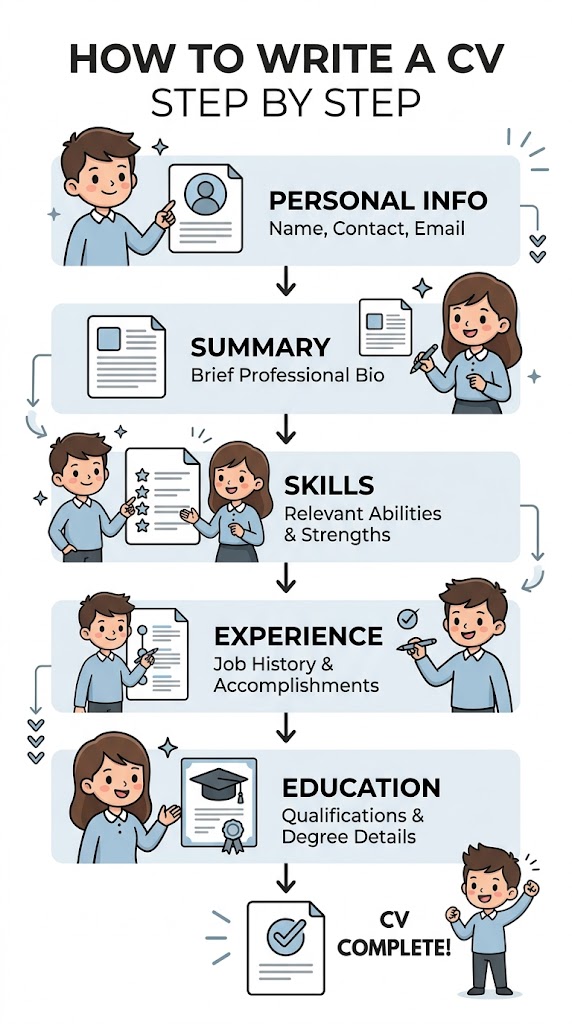
Basic Structure of a CV
-
Personal Information
Include your name, phone number, email, and location. Avoid unnecessary details like religion or ID numbers.
-
Professional Summary
Write 2–3 lines about who you are and what you offer. Keep it focused and specific.
-
Skills
List relevant skills that match the job. For example, if you apply for a web developer role, include HTML, CSS, JavaScript.
-
Work Experience
Mention your past jobs with responsibilities and achievements.
-
Education
Add your degrees, certifications, and relevant training.
-
Additional Sections
Include projects, languages, or certifications if they add value.
If you feel confused while structuring these sections, you can explore examples and formats on Homepage where structured CV templates simplify the process.
How to Write a CV Step by Step?
Creating a CV becomes easy when you follow a structured approach. Below is a practical method that works for beginners.
Step 1: Start with a Clear Header
Write your full name at the top. Use a slightly larger font so it stands out. Add your contact details below it.
Example:
- Ahmad Ali
- ahmad@email.com
- +92-XXX-XXXXXXX
Step 2: Write a Strong Summary
This is your first impression. Keep it short but impactful.
Example:
A motivated web developer with experience in building fast and responsive websites. Skilled in HTML, CSS, and SEO optimization.
Step 3: Add Skills Based on the Job
Do not write random skills. Match them with the job description.
Example:
- Technical Skills: HTML, CSS, JavaScript
- Soft Skills: Communication, Problem Solving
Step 4: Describe Your Experience Clearly
Use action words and focus on results.
Instead of writing:
Worked on websites
Write:
Built 5 responsive websites that improved user engagement by 30 percent
Step 5: Add Education and Certifications
Keep it simple and relevant. Mention your latest qualification first.
Step 6: Review and Edit
Check spelling, grammar, and formatting. A small mistake can create a bad impression.
For deeper guidance and more examples, you can read practical tutorials on Blog Section where real CV breakdowns are explained in detail.

How Does a CV Builder Tool Work?
A CV builder tool simplifies the entire process by guiding you step by step. Instead of writing everything manually, the tool uses structured inputs to generate a professional CV.
Input Process
You enter:
- Personal details
- Skills
- Work experience
- Education
Processing Logic
The tool organizes your data into predefined sections. It follows formatting rules such as:
- Proper spacing
- Font consistency
- Section alignment
In simple terms, the tool applies a structured formula like:
CV Output = Personal Info + Skills + Experience + Education + Formatting Rules
Output Result
You get a clean, ready-to-use CV that looks professional and readable.
This saves time and reduces errors. If you want to create your own cv then you can contact us to create your own cv.
What Are Real-Life Examples of Good CV Writing?
Understanding examples makes everything clearer. Here are three simple scenarios.
Example 1: Fresh Graduate
Situation: No job experience
Solution:
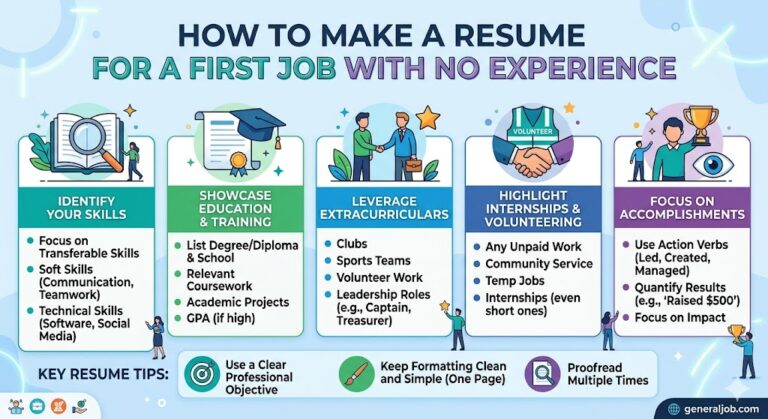
- Focus on education
- Add projects
- Highlight skills
Result: The CV shows potential instead of experience.
Example 2: Career Switch
Situation: Moving from teaching to marketing
Solution:
- Highlight transferable skills like communication
- Add relevant certifications
Result: The CV connects past experience with new goals.
Example 3: Experienced Professional
Situation: 5+ years of experience
Solution:
- Focus on achievements
- Use numbers and results
Example:
Increased sales by 40 percent in one year
Result: The CV shows measurable impact.
What Common Mistakes Should You Avoid?
Many beginners make simple mistakes that reduce their chances.
Avoid these:
- Writing long paragraphs
- Using one CV for all jobs
- Adding irrelevant information
- Ignoring formatting
- Spelling mistakes
A CV should be clear, targeted, and easy to scan.
FAQs
How long should a CV be?
A CV should be 1–2 pages. Keep it short and relevant. Employers prefer concise information.
Can I use the same CV for every job?
No. You should customize your CV based on the job description. This increases your chances of getting shortlisted.
Do I need a CV if I have no experience?
Yes. Focus on skills, education, and projects. Everyone starts somewhere.
Conclusion
A good CV does not depend on fancy words. It depends on clarity, relevance, and presentation. Start with basic sections, write clearly, and match your CV with the job you want. Use tools where needed, but always review your content manually. Small improvements can make a big difference.
If you apply these steps correctly, your CV will not just look professional, it will work effectively in real hiring situations.